LitWR with a Microsoft Account
The LitWR Launcher can be used for installation;However to log in with a Microsoft Account you'll need to take a few extra steps.
The LitWR-Launcher only supports direct login with a Mojang Account, fortunately it's possible to use the normal Minecraft Launcher if you already have an MS Account.
Installation
- LitWR Laucher
-
Not much changes during the installation itself.
You will be prompted a few times to log in, simply click the pop up away to let the installer continue
Another prompt you will get is to install Forge, if you're unsure you've installed it before look below for the instructions to check and install it once.
If Forge is installed you can cancel the prompt whenever you see it again.
You will get a warning 'Creating profile failed' and 'installation failed'
'OK' both and click the 'Install' button once more, cancel/OK the last few prompts same as before.
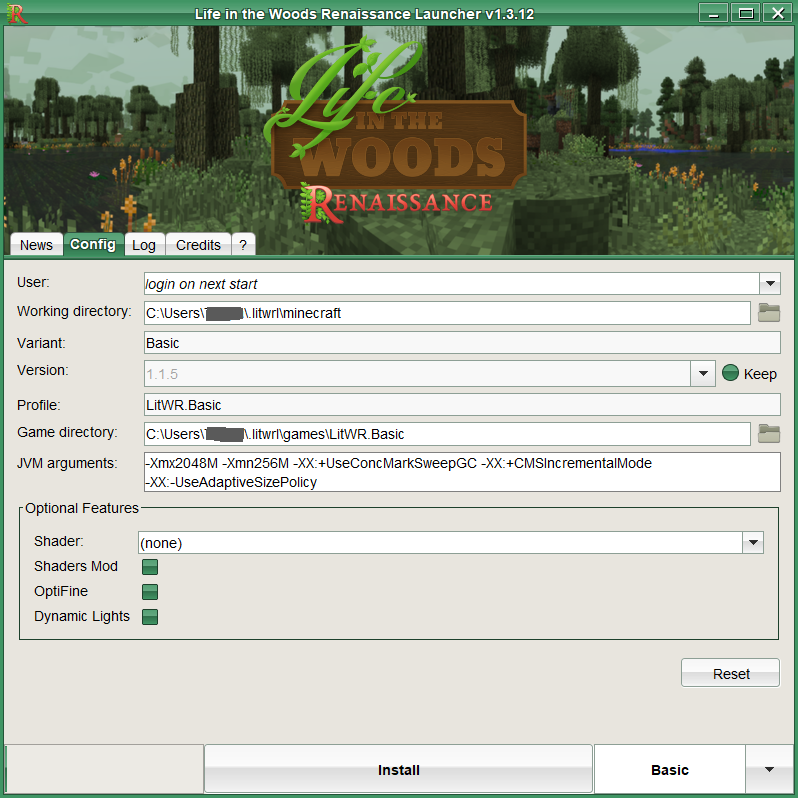
Once the LitWR Launcher button says 'Play' go to the 'Config' Tab,
we'll need some of these values in the next step as we move on to the Minecraft Launcher.
- Minecraft Laucher
-
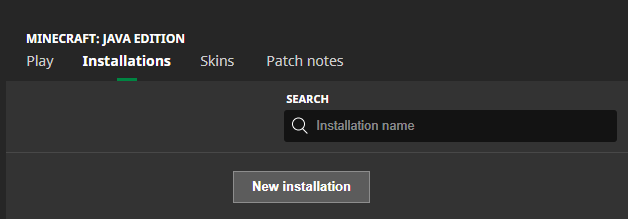
Go to the 'Installations' Tab and create a 'New installation'
Icon (your choice) - Suggested:
Name (your choice) - Suggested: Profile name as in the LitWR-Launcher
Version (required) - 'Release 1.7.10-Forge10.13.4.1614-1.7.10'
GameDir (required) - Same as Game Directory in the LitWR-Launcher
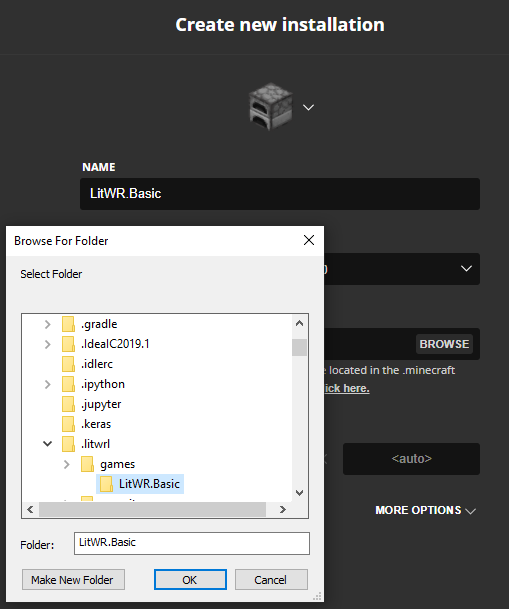
Create, and you can now use this profile to launch and play LitWR straight from your normal Minecraft Launcher
- Check / Install Forge version into the Minecraft Launcher
-
In the 'Create new installation' tab of the Minecraft Launcher you check if you have
'Release 1.7.10-Forge10.13.4.1614-1.7.10' available in the Version selection list.
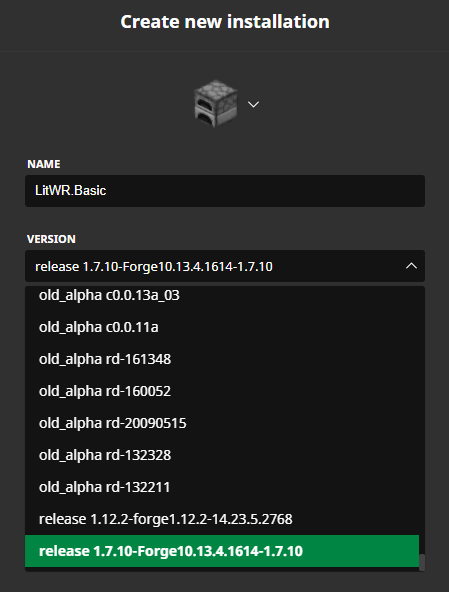
During the LitWR installation you'll be prompted to install this exact version,
Ignore the request to change the directory to '/.litwrl/minecraft/' and let Forge install to the normal minecraft directory.
If you only get here after the LitWR installation, no worries. Restart the LitWR launcher, or just click the "play" button and close all prompts.
The botton will say "Install" again, click it once more to get another Prompt to install Forge

|